What Is a Business Operating System? A Practical Guide for Service Businesses
A practical guide to how a Business Operating System connects customers, service delivery, teams, billing and reporting—and when growing businesses should adopt one.
A customer sends an enquiry on WhatsApp. The requirement is noted in a spreadsheet. A manager creates a task in another app. The invoice is prepared somewhere else. A payment screenshot arrives in a chat, and the customer history remains in one employee’s memory.
Every tool may work—but the business still feels difficult to run.
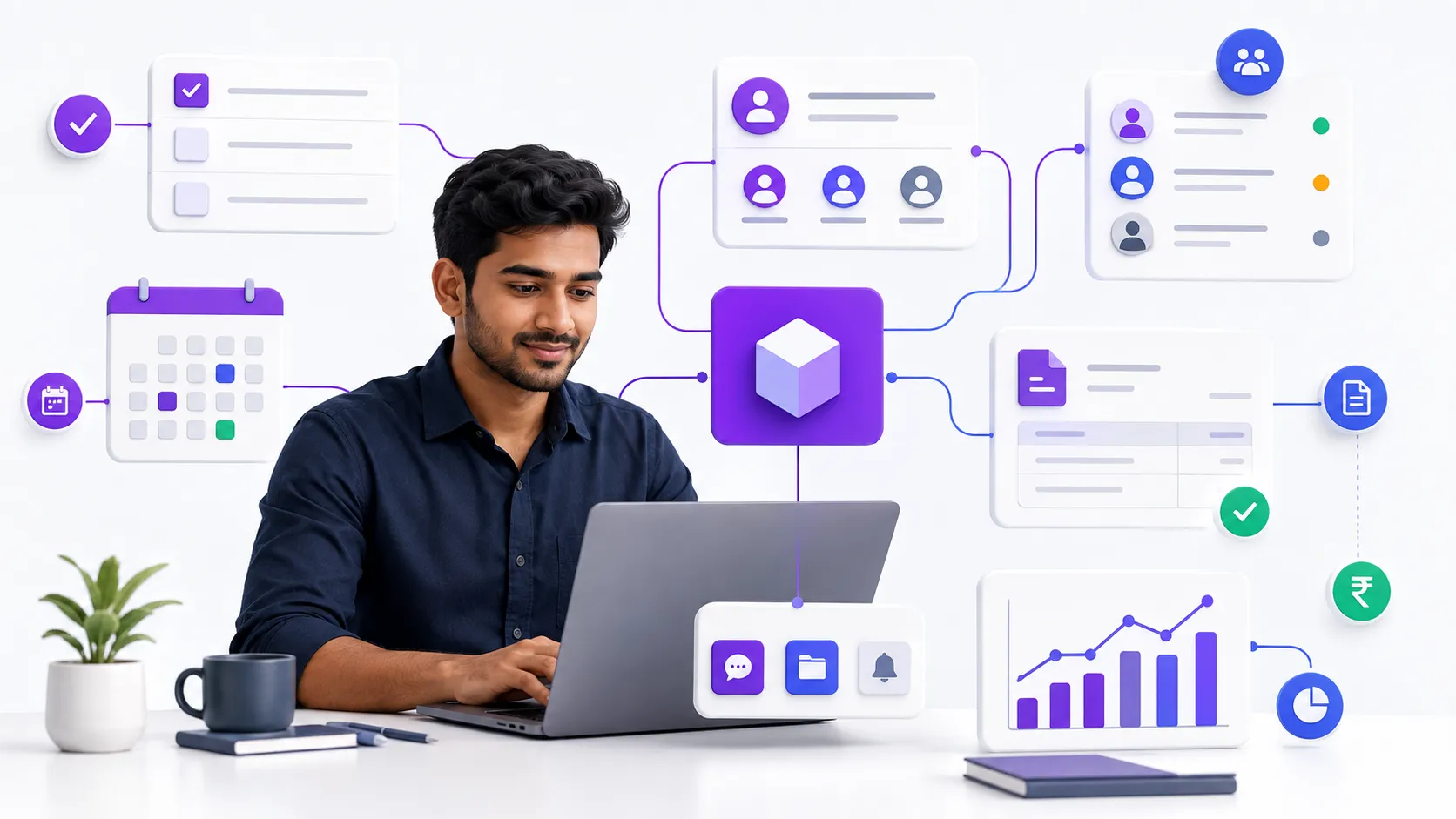
That is the problem a Business Operating System is designed to solve. It gives a business one connected way to manage customers, work, money, communication and performance. Instead of asking people to remember every hand-off, the system carries context from one stage to the next.
For a growing service business, that connection matters. The same customer may first discover the business online, then book an appointment or approve a proposal, receive a service, pay an invoice, ask for support and return months later. When each step lives in a different place, small gaps quickly become missed follow-ups, delayed billing and poor visibility.
What is a Business Operating System?
A Business Operating System is the shared digital framework a company uses to run its day-to-day operations. It combines the essential workflows, records, rules and visibility that owners and teams need to move work forward consistently.
The key word is not “software”; it is operating.
A collection of applications may store information, but an operating system connects actions. A new enquiry can become a customer record. An accepted proposal can become a project. A completed appointment can become an invoice. A received payment can update both the customer account and the owner’s reporting.
A useful Business OS creates one reliable operational picture across three layers:
- Execution: The appointments, projects, tasks, approvals and follow-ups that move work forward.
- Commercial operations: Estimates, invoices, GST context, payments, expenses and outstanding amounts.
- Business intelligence: The dashboards, histories and reports that help owners understand what is happening and what needs attention.
How is it different from a CRM, ERP or project tool?
A CRM mainly manages leads and customer relationships. A project tool mainly manages tasks and delivery. An appointment application mainly manages bookings. An accounting product mainly records financial activity. An ERP can cover a wide range of enterprise processes, but often brings more complexity than a small service business needs.
A Business OS is the connected operational layer across these needs.
It does not need to be the largest or most complicated system. It needs to be the place where the business can reliably answer:
- Who is the customer?
- What did they agree to?
- What happens next?
- Who owns it?
- What is due?
- What has been paid?
- How is the business performing?
Why service businesses feel operational fragmentation early
Service businesses sell time, expertise, outcomes and trust. Their work depends heavily on hand-offs between people: the owner, sales team, front desk, service professional, project manager, accountant and customer.
That makes disconnected information especially costly.
A product can sit in a warehouse until the next step happens. A missed service-business hand-off can immediately affect a customer relationship.
If an intake form is pending, a project may start with incomplete context. If an appointment change does not reach the assigned employee, the customer experiences the failure. If a milestone is approved but billing is delayed, cash flow suffers.
The best system follows the way the business actually delivers value:
- Appointment-led flow: Enquiry → booking → staff allocation → service → invoice → payment → follow-up or review.
- Project-led flow: Lead → proposal or estimate → agreement and intake → project plan → tasks and approvals → milestone billing → delivery.
- Hybrid flow: A project or engagement supported by scheduled sessions, products, recurring services, invoices and continued customer communication.
This is why a connected system can serve salons, spas and clinics, as well as agencies, creators, consultants, coaches and other client-service businesses. Their delivery models differ, but all of them need dependable movement from customer intent to completed and paid work.
The seven capabilities a practical Business OS should connect
1. Customer context
Every meaningful interaction should strengthen one customer record—not create another isolated note.
Contact details, conversations, appointments, projects, invoices, payments, packages and history should be available according to each team member’s role. A connected customer CRM helps the team serve the person in front of them without searching through chats and files.
2. Service delivery
The system should match how work is delivered.
Appointment-led teams need calendars, availability, staff allocation, multi-service bookings, rescheduling and visit status. Project-led teams need milestones, tasks, dependencies, files, client approvals and delivery visibility.
Explore the difference between appointment management and Projects & Client Delivery.
3. Team responsibility
Owners should not need to chase every update.
Clear assignments, due dates, statuses, access permissions and notifications make responsibility visible. Employees should see what they need to act on, while sensitive business and financial information remains protected according to their role.
4. Billing and payments
Commercial activity should follow delivery.
A completed service, approved milestone or accepted item should move naturally towards invoicing and payment. For Indian businesses, that also means practical support for GST-ready invoices, products and services, tax context, estimates, credit notes and payment records.
See how GST Billing and POS fit into the operating flow.
5. Customer communication
Communication should be timely and connected to the underlying event: a booking confirmation, reschedule, payment reminder, approval request or project update.
The purpose is not to send more messages. It is to reduce uncertainty for the customer and repetitive manual work for the team.
6. Online presence and customer actions
A service business’s website, storefront, booking flow, enquiry forms and review journey are part of operations—not separate marketing decorations.
When online actions enter the same system used by the team, customers experience a smoother journey and the business avoids re-entering information.
7. Owner visibility
A dashboard should help an owner make decisions, not simply display colourful cards.
Useful visibility includes work due today, pending client actions, team workload, upcoming appointments, project risk, outstanding invoices, sales activity, stock movement and customer follow-ups.
The goal is to identify the next best action without building a report manually.
Seven signs your business has outgrown spreadsheets and disconnected apps
- The same customer information is entered repeatedly. Different files and tools hold different versions of the truth.
- Work depends on memory. Follow-ups, approvals and payment reminders happen only when someone remembers them.
- Owners must ask for status updates. There is no reliable place to see what is on track, blocked or overdue.
- Billing is separated from delivery. Completed work waits before it becomes an invoice or payment request.
- Customers repeat themselves. Your team cannot easily see their history, preferences, commitments or past issues.
- Growth creates more administration than value. Adding customers, locations or employees increases coordination work faster than revenue.
- Reporting arrives too late. Important decisions rely on manually assembled information from the previous week or month.
A practical way to implement a Business OS
Do not begin by trying to digitise everything. Start with the customer journey and the operating gaps that cause the most repeated effort, delay or risk.
1. Map one complete workflow
Choose an important journey such as enquiry-to-payment, appointment-to-review or proposal-to-project-to-invoice. Write down the people, decisions, records and hand-offs involved.
2. Define the source of truth
Decide where customer details, service scope, project status, invoices and payments will live. Avoid maintaining parallel master records.
3. Standardise essential statuses
Use a small, meaningful set of stages that your team can understand and update consistently.
4. Set roles and responsibility
Give each step an owner. Configure access so people can act quickly without exposing information they do not need.
5. Connect delivery to billing
Identify the event that should make an invoice, milestone payment or payment follow-up ready.
6. Automate only reliable steps
A reminder or status update should be automated only after its trigger and recipient are clearly defined.
Automation cannot repair an unclear process.
7. Review a few useful measures
Track operational measures such as completion time, pending approvals, no-shows, overdue invoices or repeat visits. Add more measures only when they support a decision.
8. Improve in short cycles
Run the workflow, listen to the people using it and remove friction. A Business OS should make work easier to understand—not force unnecessary administration.
Common mistakes to avoid
- Buying features without designing the workflow. A long feature list cannot compensate for unclear responsibility or duplicate records.
- Moving every old process unchanged. Digitising an inefficient process preserves the inefficiency. Simplify before automating.
- Giving everyone unrestricted access. Good visibility is role-aware. Customer, staff and financial information should be available to the right people.
- Expecting adoption without training. Teams need to understand not only which buttons to use, but why the shared workflow matters.
- Measuring activity instead of outcomes. More tasks, messages and dashboards do not automatically mean faster delivery or a better customer experience.
Where Yepsta fits
Yepsta Business OS is designed for appointment-led, project-led and hybrid service businesses. It brings customer records, projects, appointments, staff workflows, GST billing, payments, inventory, online presence, communication and reporting into one connected platform.
The purpose is not to make a small business operate like a large enterprise. It is to give owners, managers and teams a practical system for running everyday work with less fragmentation and clearer control.
A salon may begin with appointments and billing. An agency may begin with proposals, intake, projects and milestone payments. A coach may combine discovery calls, agreements, sessions, tasks and follow-through.
Each business can add connected workflows without rebuilding its operations around separate tools.
You can explore all Yepsta features, review the pricing options, or book a guided demo to see how your customer journey could work inside one system.
The operating principle to remember
A growing business does not usually need more places to store information. It needs a dependable way for information to become action.
A Business Operating System works when customer context, team responsibility, service delivery and money move together—without relying on memory to bridge the gaps.
Start with one important workflow. Make its stages visible. Connect the records your team already depends on. Then expand from a stable foundation.
That is how a Business OS becomes more than software: it becomes the way the business delivers consistently.
Ready to run your service business from one connected system?
See how Yepsta connects customer context, daily work and business visibility.
Explore Yepsta Business OS or book a demo tailored to your workflow.